Monday May 10, 2021
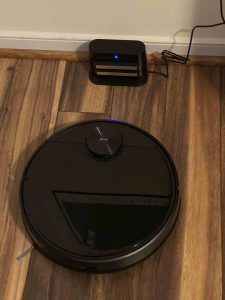
I got a Wyze robot vacuum two weeks ago. I took it out of the box and followed the directions for charging it. Today I decided that, seeing as how it hadn’t moved maybe I should do something more to get it to clean.
I had done everything the directions had said including lining the vacuum up with the charging station and keeping it 10 inches in front of it. I also spent time looking for something called “The Dust Bin,” which is where the hepa filter is installed. I had to google to discover that the dust bin is in fact in the vacuum itself, which makes sense, But why didn’t they tell me to lift the cover to see the dust bin? Why did they show it like it was a separate little gizmo like the charging station? And why didn’t they tell me there already was a HEPA filter in the machine and that the one in the box was a spare? I know, I’m asking a lot. Also, the second brush is apparently a spare and not a second brush.
How hard would it have been to say, “If you lift the top cover of the vacuum you will see a dust bin, which should e emptied regularly. In your shipping box is a spare HEPA filter and rotator brush.”?
I know. It’s intuitive.
The directions told me to look at the Quick Start Guide. The Quick Start Guide told me to scan the QR code. The QR code told me to hold down the only two buttons on the vacuum and it also told me to add the device to my Wyze app. I was then told to connect to Wi-Fi CVCR_XXX, or something like that. There was no network of that name. However, there was one CVCR_and-a-bunch-of-letters-and-digits. Well, why not try that? It worked.
Okay, I don’t know. Usually when you write a manual you would have written CVCR_xxx with the X’x in italics so you’d know not to look for “XXX.” If you wanted to be super clear you could have written, “XXX or xxx stands for a randomly assigned Wifi network beginning with CVCR_ followed by a string of letters and digits. Example: CVCR_AB123ZQ.”
I know.
Now I’m wifi connected and you know what it says to do? “Push the vacuum so that the machine touches the two silver bars on the charging station.” What? Two weeks and you finally tell me that? You mean the picture with the vacuum sitting almost a foot away wasn’t correct? (I was wondering how that charged anything.)
Do they really intend to sell stuff? They really need someone to write their instructions that isn’t an engineer, or under the age of 30, and hasn’t been working on the product, and who knows How to Write a Friggn’ Manual!
I gotta go.
We have one too. It just sits in the corner. We have to set up barriers so it won’t go out of the room we want it to clean. If we don’t put up the barriers it goes into another room before it cleans the one we wanted clean. When it goes to another room it forgets what it is doing and starts to get nosy. We don’t want our vacuum knowing our business.
You have overthought this quite a bit. I know, i still do it. If you just add a new device through the app, it guides you through all of this.
I didn’t do that, but as soon as i opened the app, i realized i effed up.
We are not use to things being this easy.
Courage.
I thought that these automatic appliances were supposed to simplify our lives. WTF?